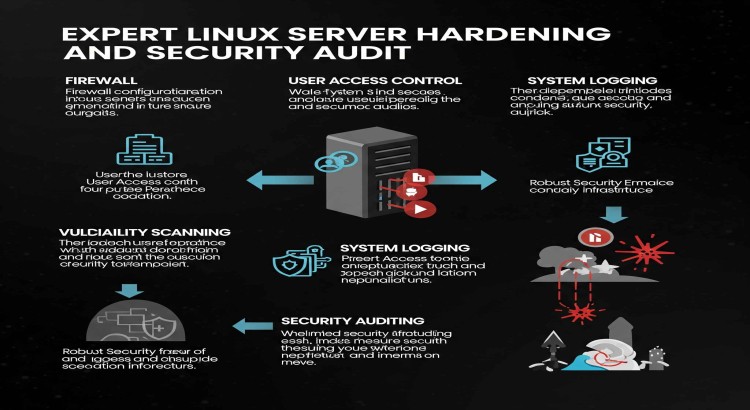
Expert Linux Server Hardening & Security Audit

About this Service
As David Smith, a seasoned Server Management Expert with over 10 years of experience in maintaining and optimizing Linux servers, I specialize in enhancing server security and conducting thorough security audits. My commitment is to fortify your Linux infrastructure against threats, ensuring robust protection and compliance.
About My Linux Server Hardening & Security Audit Service:
Overview:
My service focuses on meticulously securing your Linux server environments to prevent unauthorized access, data breaches, and other security vulnerabilities. In today's threat landscape, robust server hardening is not optional—it's essential. I provide comprehensive security audits to identify weaknesses and implement industry best practices to lock down your systems, ensuring your data and operations remain secure.
What Services & How I Perform Them:
My systematic approach ensures a thorough security posture for your Linux servers:
1. Initial Security Assessment & Vulnerability Scan: I begin by performing a detailed assessment of your current Linux server configurations and conducting automated vulnerability scans to identify known weaknesses and misconfigurations.
2. OS & Kernel Hardening: I apply essential hardening measures to the Linux operating system and kernel. This includes disabling unnecessary services, reducing the attack surface, and configuring kernel parameters for enhanced security.
3. File System & Permissions Hardening: I review and correct file system permissions, implement strong ownership policies, and configure access control lists (ACLs) to prevent unauthorized access to critical files and directories.
4. Network Security Configuration (Firewall/IPTables): I configure and optimize your Linux firewall (e.g., IPTables, UFW) to allow only necessary traffic, restricting unauthorized connections and protecting against common network attacks.
5. SSH Security & Access Control: I secure SSH access by enforcing strong authentication methods (e.g., key-based authentication), disabling password login, configuring rate limiting, and setting up appropriate access controls for remote management.
6. User & Group Management Hardening: I review user accounts and groups, enforce strong password policies, implement account lockout mechanisms, and ensure least privilege access principles are followed.
7. Log Management & Auditing: I configure centralized logging and auditing to capture critical security events, enabling better threat detection and compliance reporting. This includes setting up log rotation and secure log storage.
8. Package & Software Management Best Practices: I ensure your software packages are kept up-to-date and remove any unnecessary or insecure software, minimizing the attack surface.
9. Security Audit Report & Recommendations: Upon completion, I provide a detailed security audit report outlining vulnerabilities found, hardening measures implemented, and further recommendations for continuous security improvement.
Key Tools & Technologies I Utilize:
- Operating Systems: Various Linux distributions (Ubuntu, CentOS, RHEL, Debian).
- Security Tools: Lynis, OpenVAS, Nessus (for scanning), IPTables/UFW, SELinux/AppArmor, Fail2ban.
- Configuration Management: Ansible, Bash scripting for automation.
- Monitoring/Logging: rsyslog, journald, ELK Stack (for log analysis).
- Compliance Frameworks: CIS Benchmarks, NIST.
My Areas of Mastery:
- Linux Security: Deep expertise in securing various Linux distributions.
- Server Hardening: Implementing robust security configurations.
- Vulnerability Assessment: Identifying and mitigating security weaknesses.
- Firewall & Network Security: Configuring network access controls.
- Compliance: Adhering to security best practices (e.g., CIS Benchmarks).
- Proactive Threat Mitigation: Implementing strategies to prevent attacks.
Why choose me?
10+ Years of Focused Expertise: My extensive career has been dedicated to mastering Linux server management and security, delivering impenetrable and reliable solutions.
Meticulous & Proactive: I approach every security detail with precision, identifying potential vulnerabilities before they become threats and ensuring comprehensive protection.
Committed to Your Data's Safety: I am deeply committed to safeguarding your server infrastructure, treating your security as if it were my own.
Fair & Transparent Pricing: You receive high-value, expert-level service with clear, upfront pricing, ensuring predictable budgeting.
Service Features
- ● Initial Security Assessment & Vulnerability Scan
- ● OS & Kernel Hardening
- ● File System & Permissions Hardening
- ● Network Security Configuration (Firewall/IPTables)
- ● SSH Security & Access Control
- ● User & Group Management Hardening
- ● Log Management & Auditing
- ● Package & Software Management Best Practices
- ● Security Audit Report & Recommendations
- ● Post-Implementation Advisory Support
About the Seller
From
New York, United States
Member Since
Oct 2024
Skills:
Basic
Related Services
Server Management
I will migrate your server or application to a cloud platform (AWS, Azure, Google Cloud)
Server Management
I Can Set Up a Windows Server with Active Directory, DNS, and DHCP for Your Business
Server Management
Newbie Freelancer
stability, security, and peak performance. David Martinez, 9+ years experience.



Join as a freelancer or client
Join as a Freelancer
Join as a Client